Billing Email Address
To add a billing email to your account, follow these easy steps.
- Log in to ImprovMX.
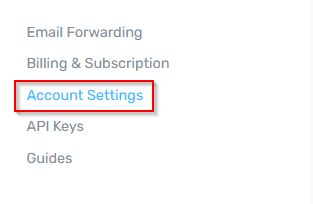
- Click Account Settings at the left hand side of the screen.
- Scroll down until you see the Billing Email section → Enter your billing email address → Click Save.
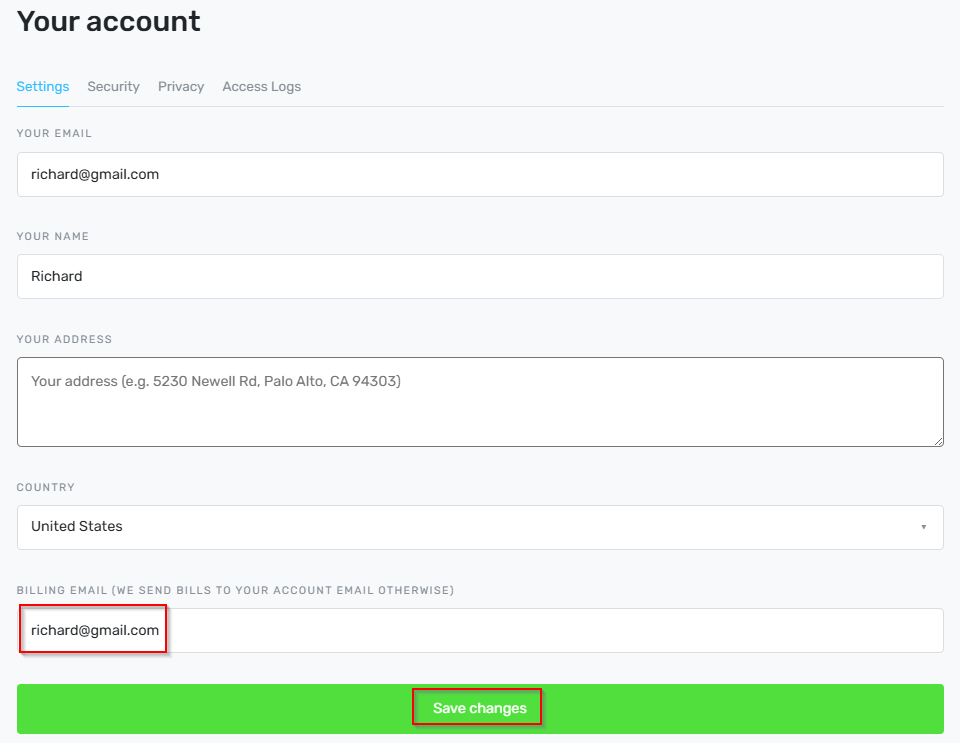
That's it! Now all billing related emails will go to your nominated email address.